Credential change – Email ID Change (Self Process)
Procedure for APP :
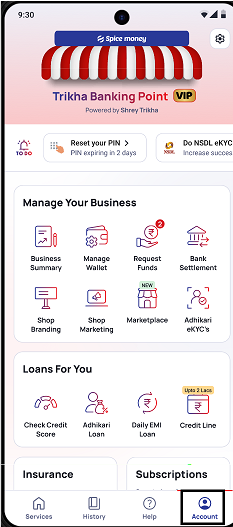
Step 1: Spice Money app ko login karne ke baad Need to click on “Account” Option,
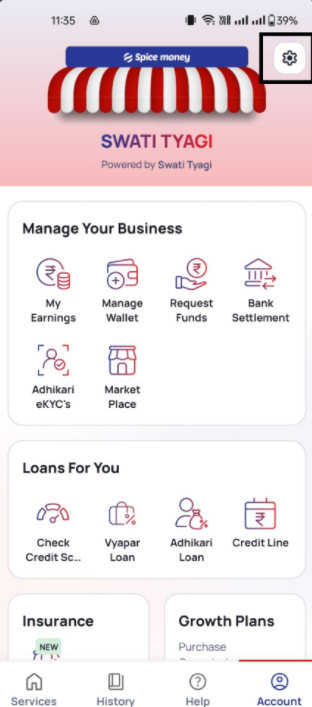
Step 2: Need to click on “Setting” Icon
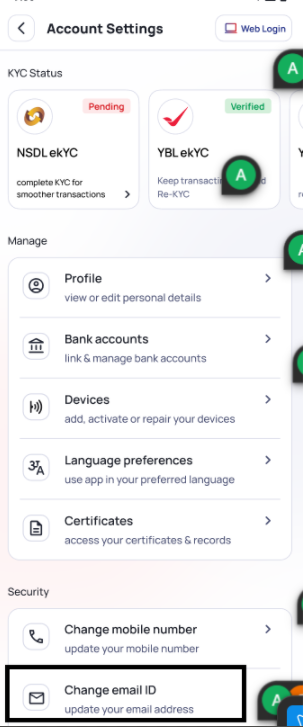
Step 3: Need to click on “Change Email ID” in setting option
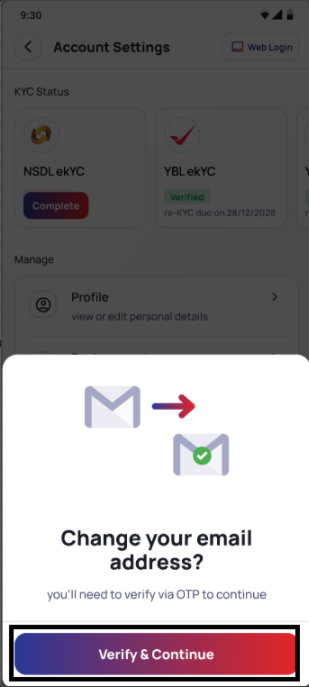
Step 4: Need to click on “Verify & Continue”
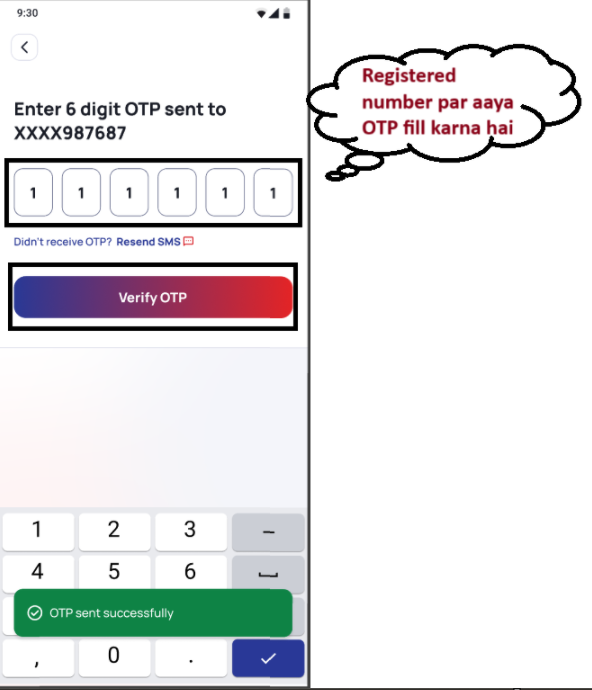
Step 5: Need to fill “OTP” SMA Ke Registered Number par aaya hoga.
Step 6: Need to click “Verify OTP” OTP
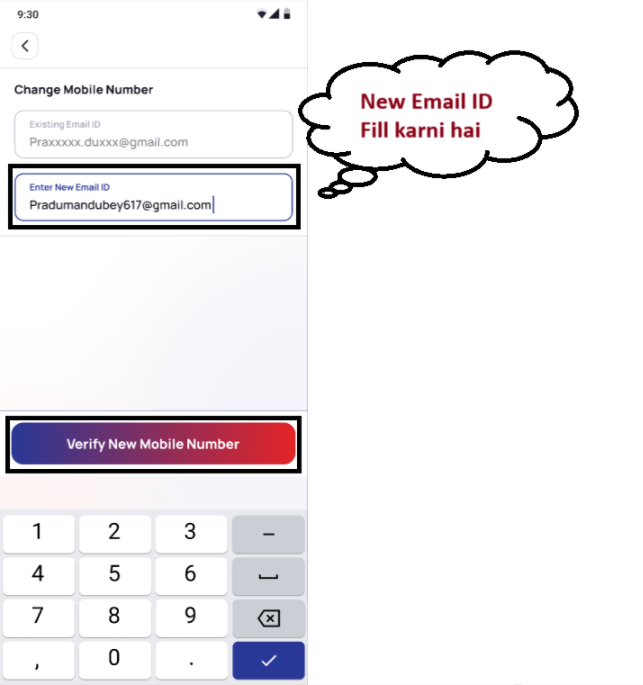
Step 7: After OTP Verify, Need to fill “Nee Email ID”.
Step 8: Need to click “Verify New Email ID”
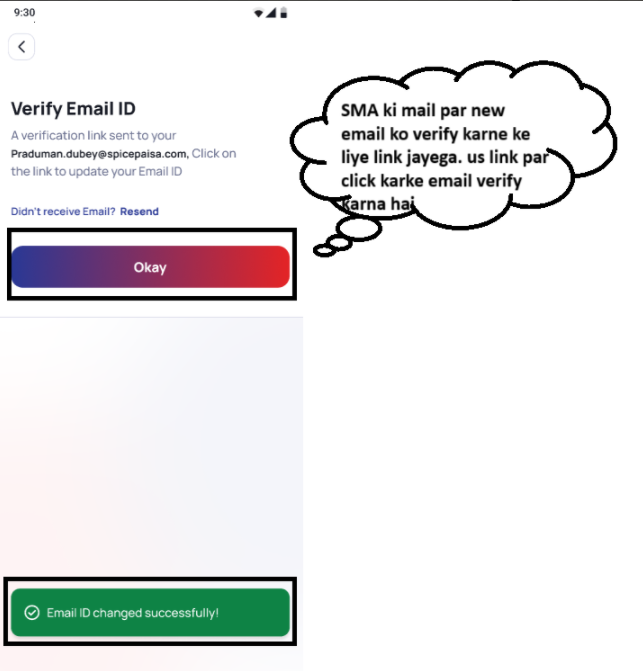
Step 9: SMA ke new Email par ek link jayega. SMA ko us link par click karne ke baad Email verify karna hai
Step 10: Email Verify Karne ke baad SMA ki new email update ho jayegi
In case SMA ke paas OLD email ka access nhi hai to SMA ko valid reason ke saath apne registered mail se customercare@spicemoney.com par mail karne ke liye guide karna hai