

MATM – Activation online via spice money Adhikari App
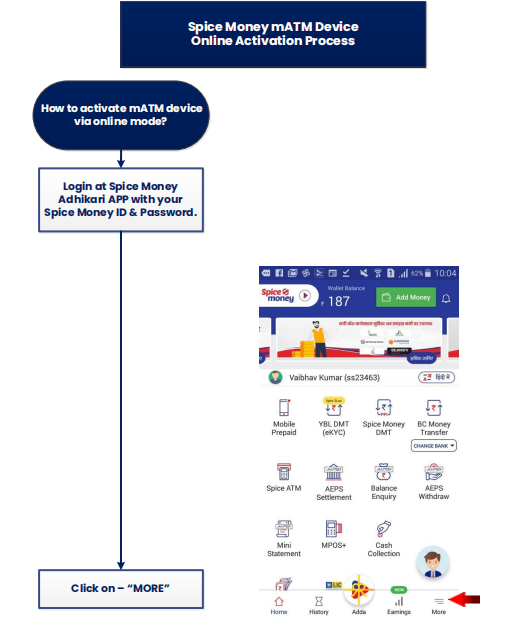
↓
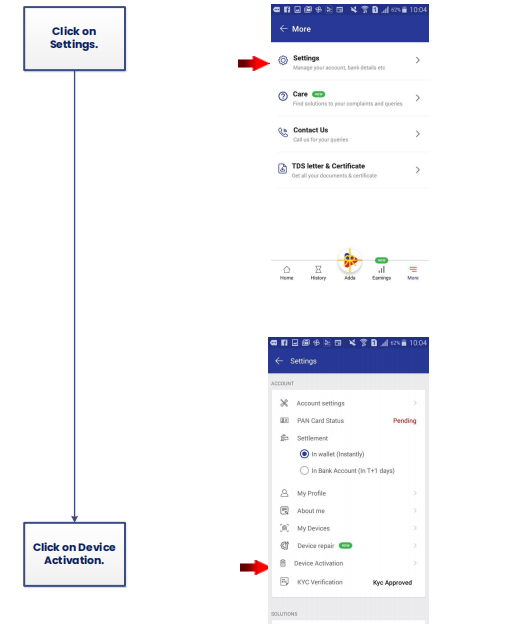
↓
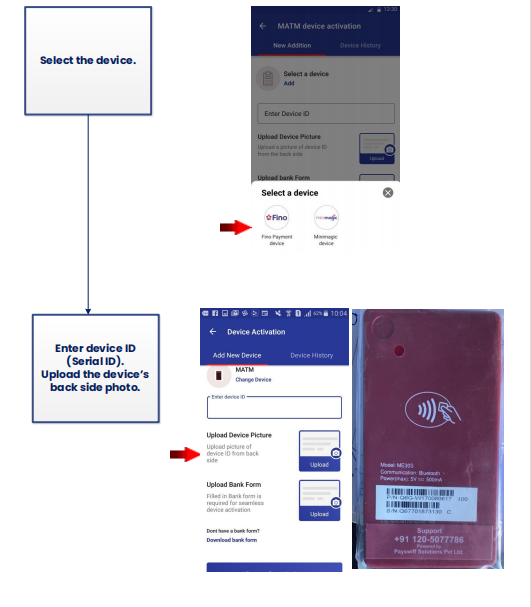
↓
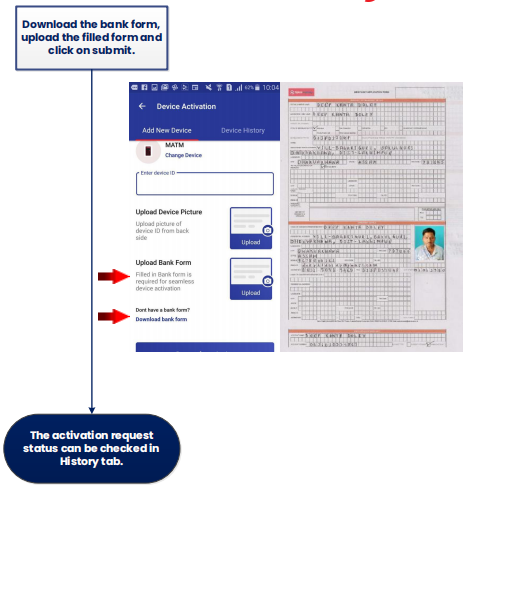
HOW SMA WILL CHECK THE REQUEST STATUS-:
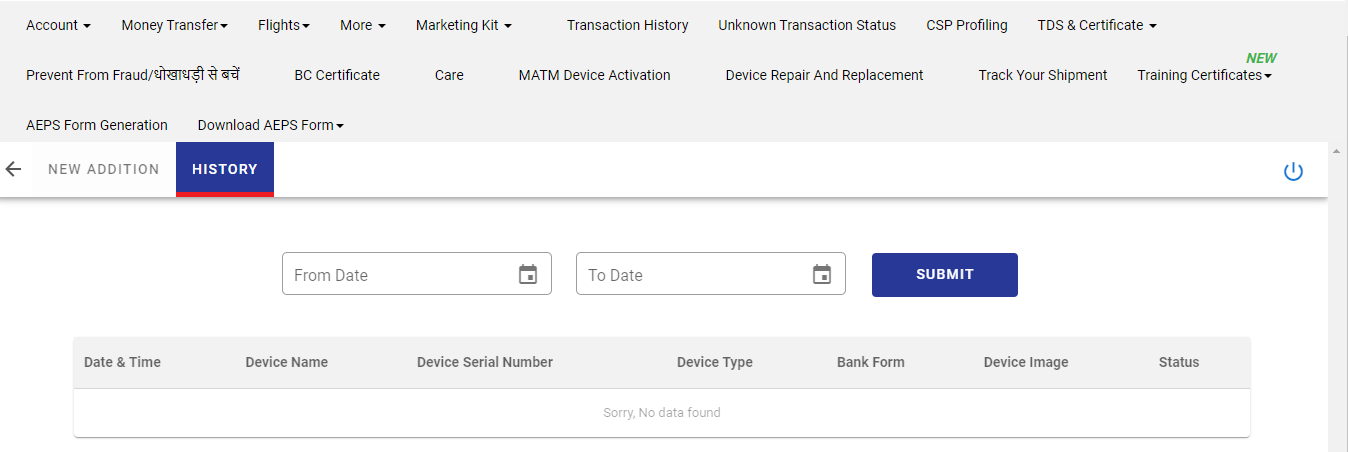
IF MATM ACTIVATION STATUS SHOWING REJECTED-: HOW TO CHECK REQUEST STATUS
SMA jab ye request initiate karege uske baad 2 working days ka time lagega ager SMA bolte hai ki TAT complete ho gya hai but still device activate nhi hui to sabse phele SMA ko bolege ki MATM device activation Tab main ja ke History main ja ke request ka status check karege ager waha pe reject likha hai to reason bhi likha hoga SMA ko bolege dobara aap request initiate kijiye Reject reason ke according.
SCENERIO 1> IF MATM ACTIVATION STATUS SHOWING APPROVE-:
Agar SMA ko MATM device activation Tab main ja ke History main ja ke request ka status Approve dikha raha hai to sabse phele Agent KB main ja ke Mini magic & Morefun ATM tracker (2) main check karenge agar waha device activate dikha raha hai to SMA ko bolege error btaiye kya error aa raha hai device use karte huee SMA jo bhi error btayege uss error ko KB main ja ke check karege agar error wha pe available hai to resolution sheet ke according provide karenge agar waha pe error ki information available nhi hai to Tech team main call transfer karenge.
How To check MATM Error In KB Path-: MINI ATM >> MATM ERROR CODES AND RESOLUTION >> MATM ERROR CODES AND RESOLUTION
How to check device activation status in google sheet- Additional Links>Spice Money Important Update>Mini magic & Morefun ATM tracker
SCENERIO 2> IF MATM ACTIVATION STATUS SHOWING APPROVE-:
Agar SMA ke pass Device activation ka status Approve dikh ra hai and KB sheet main device activation ki information nhi hai to sabse phele hum error puchege agar error main user Id not active ya MAU02 not active dikha ra to Agent SMA ko bolege ki (POA/POI/Back side of device photo) ye details WhatsApp support number ya E-mail pe share karege fir team ek complaint raise karegi ya directly Anjum sir forward karege, ager Anjum sir se response aata hai ki MATM device activate ho gyi hai to Tech team main transfer karege.