Aeps – Mini Statement on Web
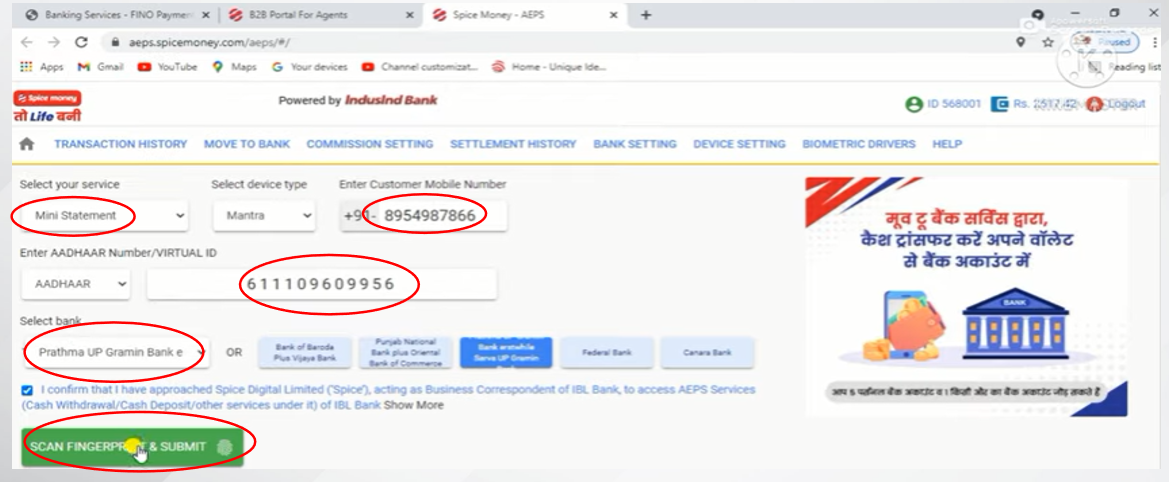
1.First select the service and then enter all the details shown in the image and click on scan fingerprint option.
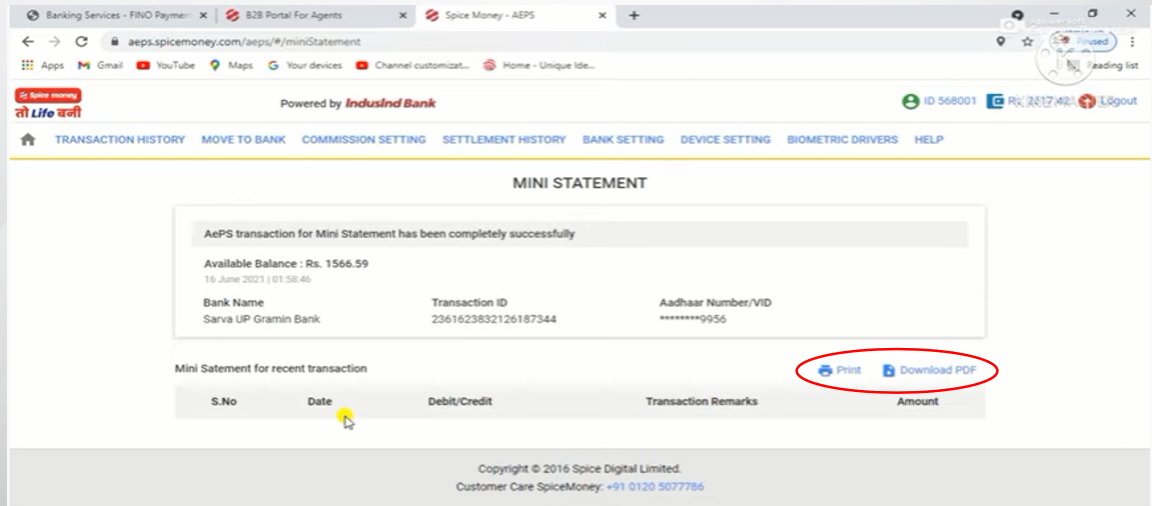
2. Once the finger scanning is successful it will show you the Mini Statement and same can be print/download from the option shown in the below image.