NSDL Blocked Account Ticket raising using “Help & Support” Tile
Please ask the adhikari to follow the process below to raise the blocked account issue
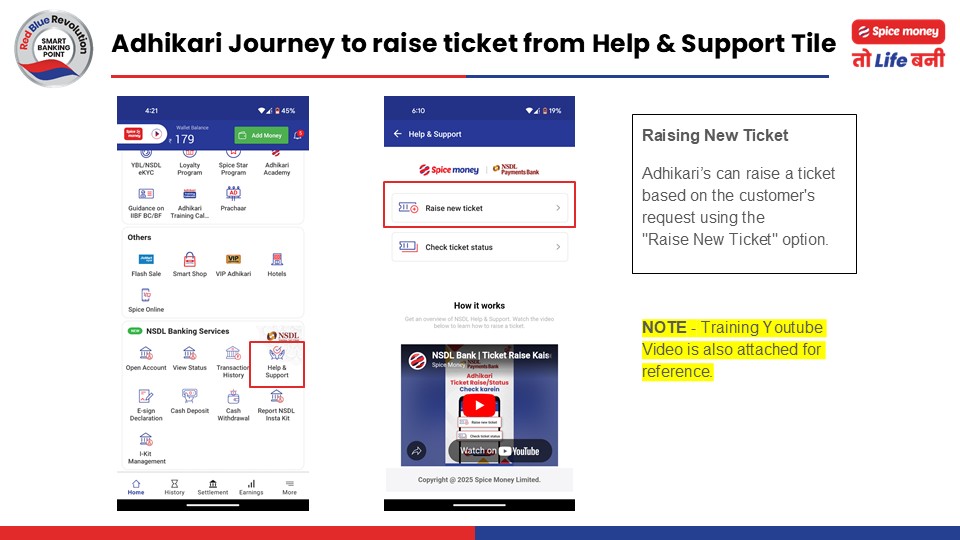
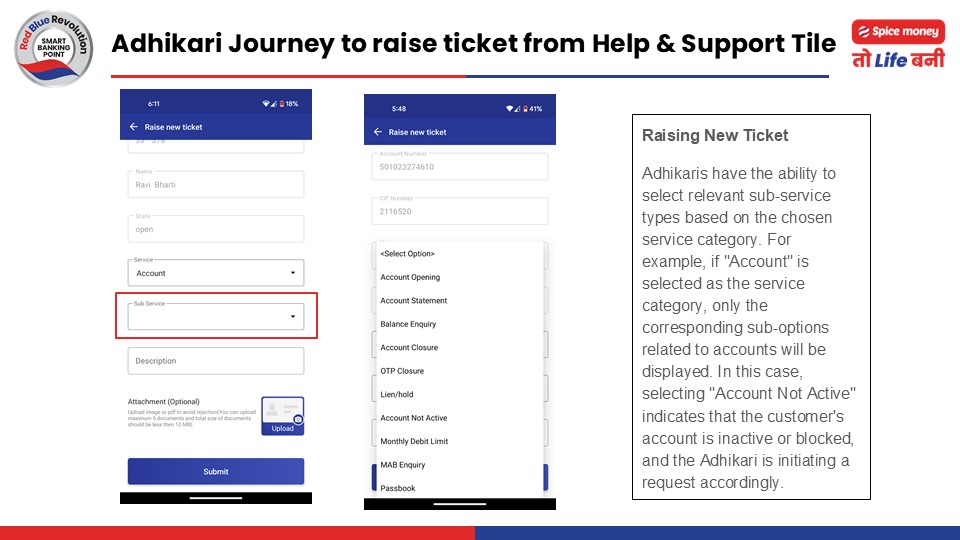
- Go to the “Help & Support” tile and then click on “Raise new ticket” option
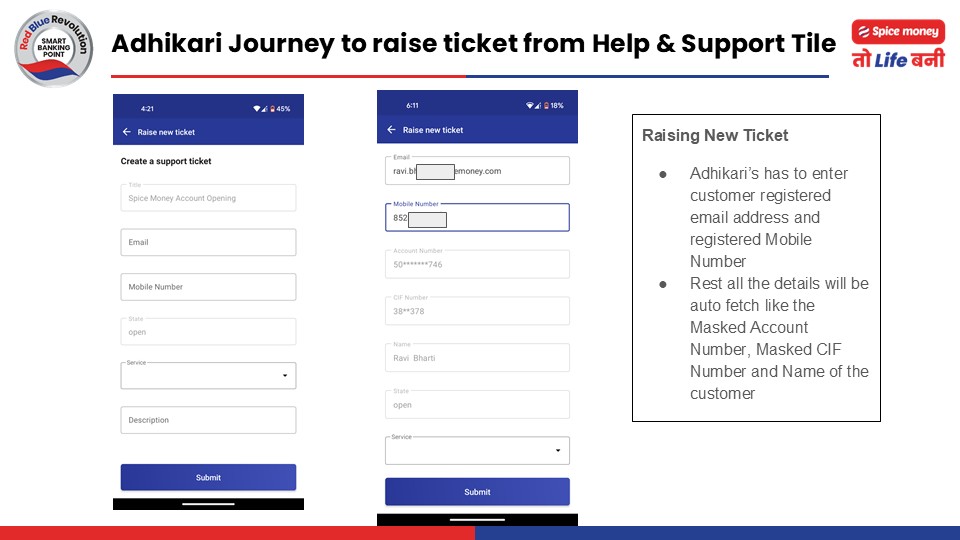
- Input registered ‘Email ID’ and ‘Mobile Number’.
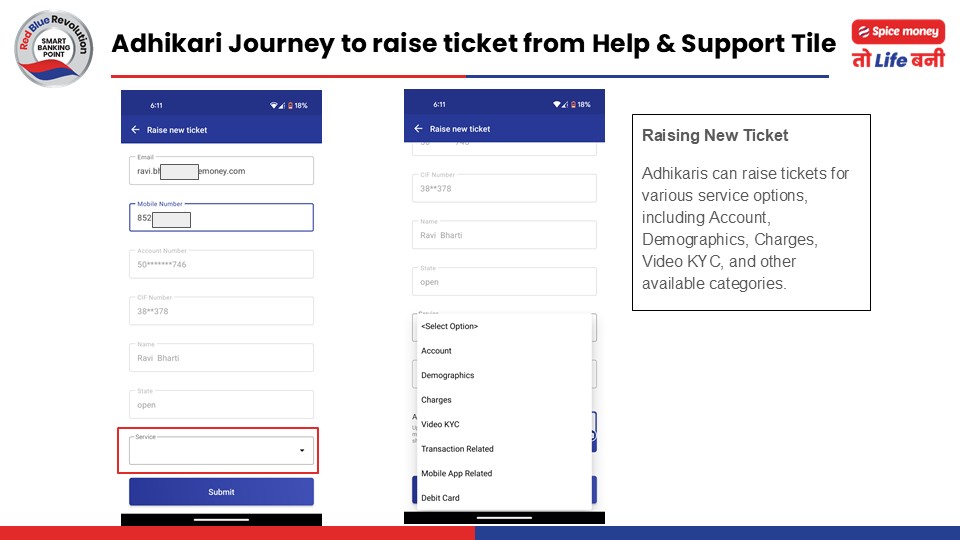
- Select the ‘Account’ option in the “Service” column and
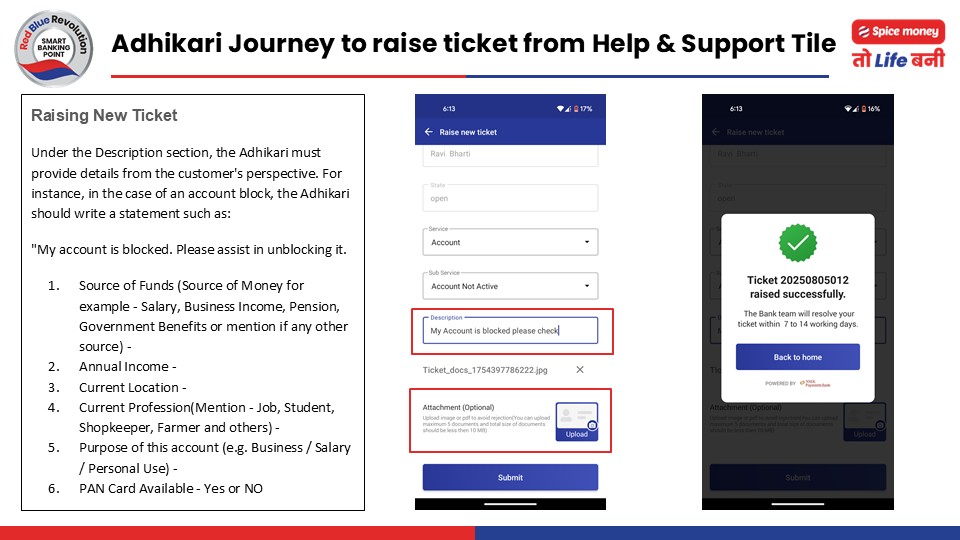
‘Account not Active’ in the “Sub Service” column - In the “Description” field, please write a detailed information on the below-mentioned points:
- Source of Funds (Source of Money for example – Salary, Business Income, Pension, Government Benefits or mention if any other source) –
- Annual Income –
- Current Location –
- Current Profession(Mention – Job, Student, Shopkeeper, Farmer and others) –
- Purpose of this account (e.g. Business / Salary / Personal Use) –
- PAN Card Available – Yes or NO
- In the “Attachment” section, please upload clear photos of the customer holding their Aadhaar card, with their face clearly visible. Make sure to include both the front and back sides of the Aadhaar card. If the customer has a PAN card, they also need to take similar photos holding the PAN card with their face visible, and showing the front side. For reference please follow the below image
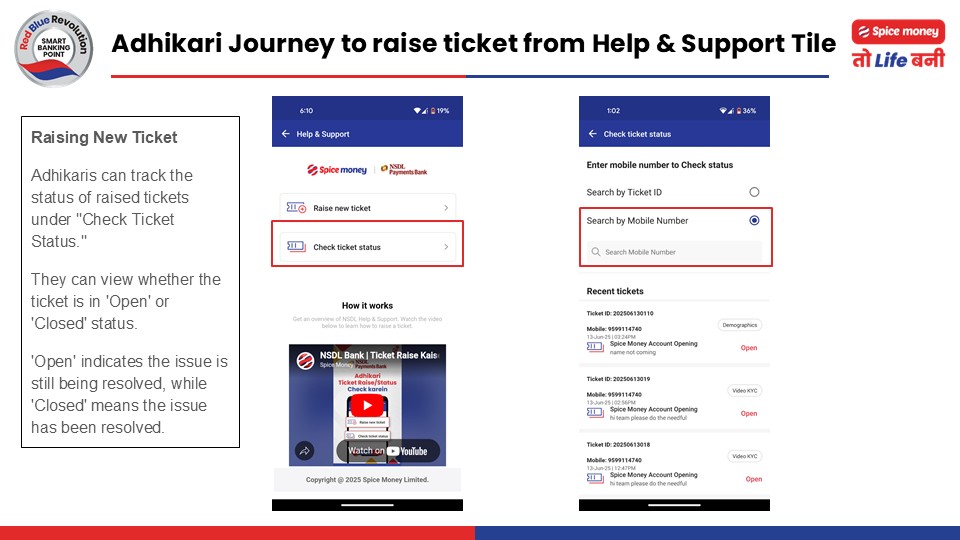
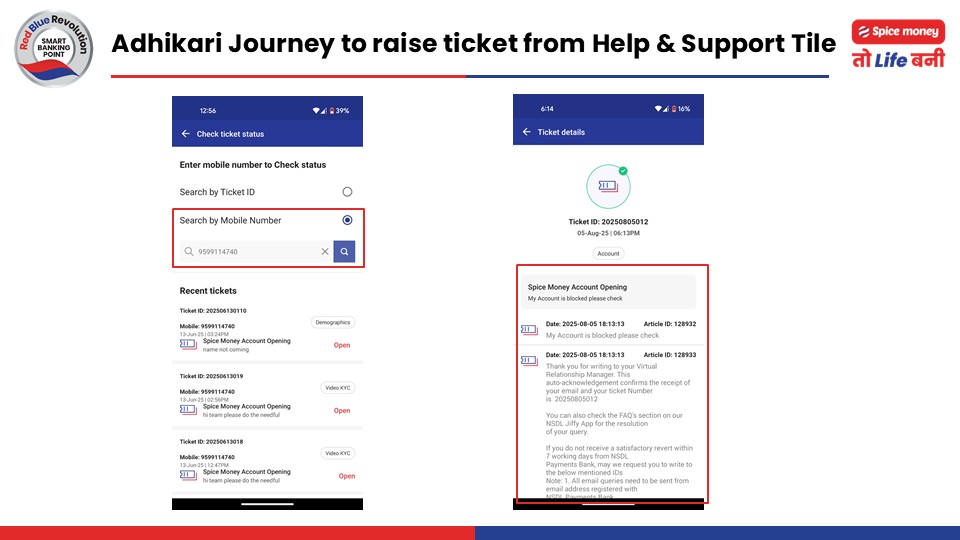
Note: If the customer does not have a PAN card and the account was opened using FORM 60, please ask them to write “No” in the description box under the PAN Card Available option - Adhikari can check the bank response in the “Check ticket status” option and search the Ticket by Ticket ID or Mobile Number.
कृपया अधिकारी से अनुरोध करें कि वे अवरुद्ध खाता समस्या उठाने के लिए नीचे दिए गए प्रक्रिया का पालन करें।
“Help & Support” टाइल पर जाएं और फिर “Raise new ticket” विकल्प पर क्लिक करें।
पंजीकृत ‘Email ID’ और ‘Mobile Number’ दर्ज करें।
“Service” कॉलम में ‘Account’ विकल्प चुनें और
“Sub Service” कॉलम में ‘Account not Active’ विकल्प चुनें।
“Description” फील्ड में निम्नलिखित बिंदुओं पर विस्तार से जानकारी लिखें:
Source of Funds(पैसे का स्रोत जैसे – वेतन, व्यवसायिक आय, पेंशन, सरकारी लाभ या कोई अन्य स्रोत हो तो उल्लेख करें) –
Annual Income –
Current Location –
Current Profession(जैसे – नौकरी, छात्र, दुकानदार, किसान या अन्य) –
Purpose of this account (जैसे Business / Salary / Personal Use) –
PAN Card Available – Yes or NO
“Attachment” सेक्शन में ग्राहक की साफ़ तस्वीरें अपलोड करें जिसमें वह अपना Aadhaar card पकड़े हुए हो और उनका चेहरा स्पष्ट रूप से दिख रहा हो। ध्यान रखें कि Aadhaar card के दोनों तरफ (front और back) की तस्वीरें शामिल हों। यदि ग्राहक के पास PAN card है, तो उन्हें PAN card की भी ऐसी ही तस्वीरें लेनी होंगी जिसमें वे PAN card पकड़े हों, उनका चेहरा दिख रहा हो, और केवल PAN card का front side दिखे।संदर्भ के लिए कृपया नीचे दी गई छवि का अनुसरण करें

नोट: यदि ग्राहक के पास PAN card नहीं है और खाता FORM 60 का उपयोग करके खोला गया है, तो कृपया उन्हें “Description” बॉक्स में PAN Card Available विकल्प के नीचे “No” लिखने के लिए कहें।
अधिकारी “Check ticket status” विकल्प में बैंक की प्रतिक्रिया देख सकते हैं और टिकट को टिकट आईडी या मोबाइल नंबर से खोज सकते हैं।