PAN Card – Procedure
PAN Card Procedure
Web Flow :-
-
- SMA will login on B2B interface and will click on PAN Card icon.
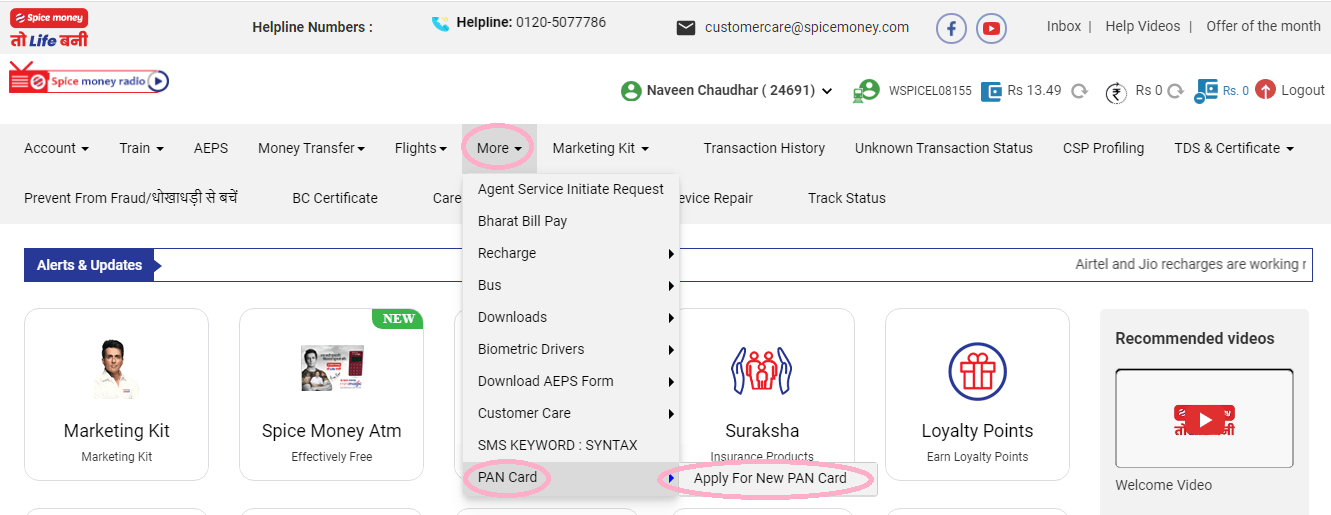
-
- Read Carefully Document Instruction 1.0

-
- Read Carefully Document Instruction 1.1
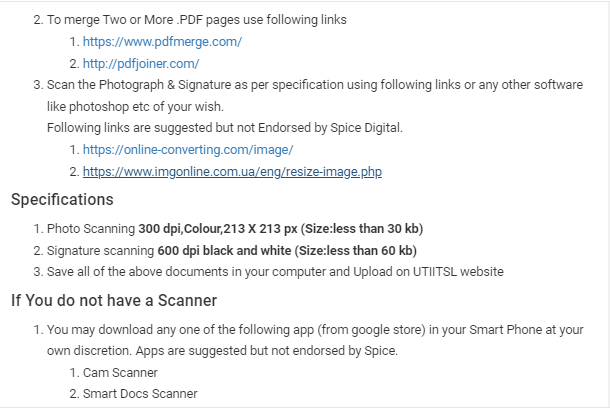
-
- Read Carefully Document Instruction 1.2

First time user agents, will have to fill up a registration form and proceed to start application
In case of repeat users, this will redirect the user to UTIITSL page. The agent need to check his/her name on the portal .
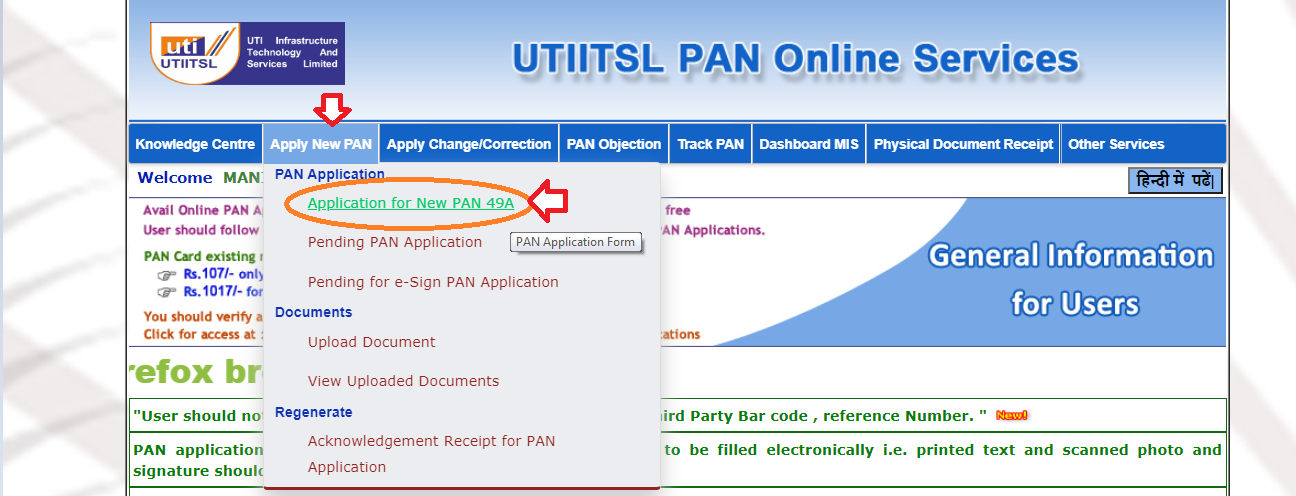


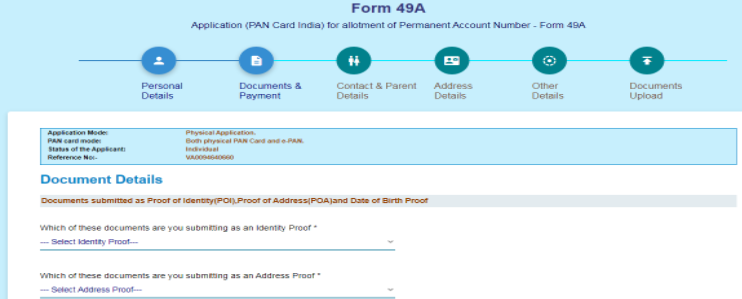

-
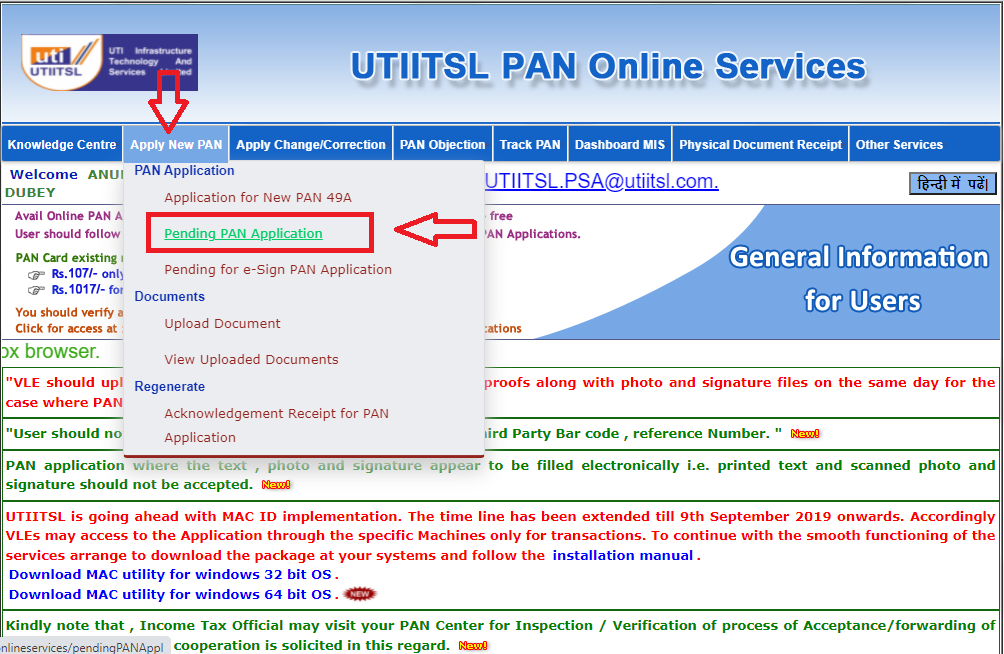
- After Payment Agent have to click on “Pending Pan Application”
Then Click on the edit Button
Aadhaar Authentication (Please select India in ISD Code), 91 is STD Column
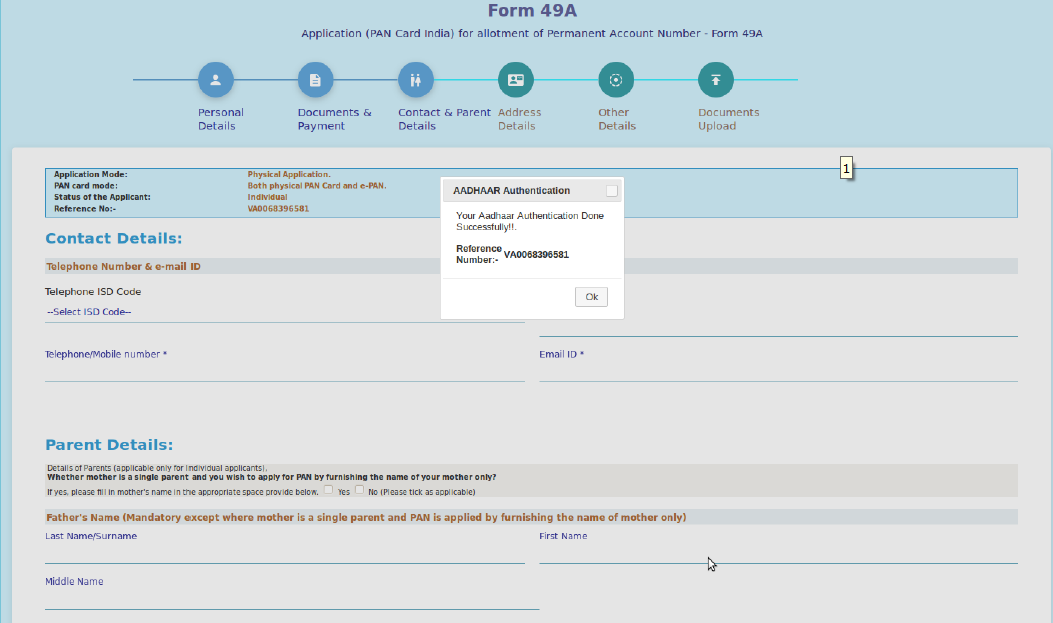
-
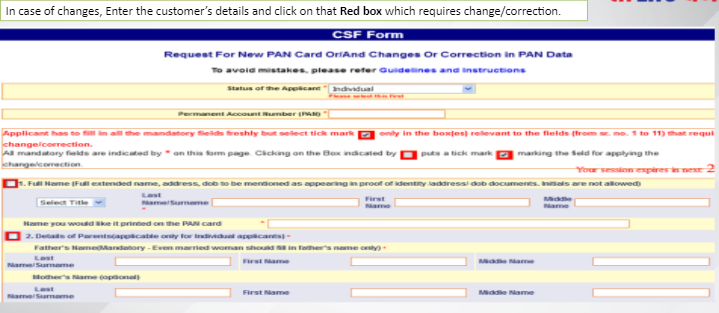
- Fill Contact & Parent details
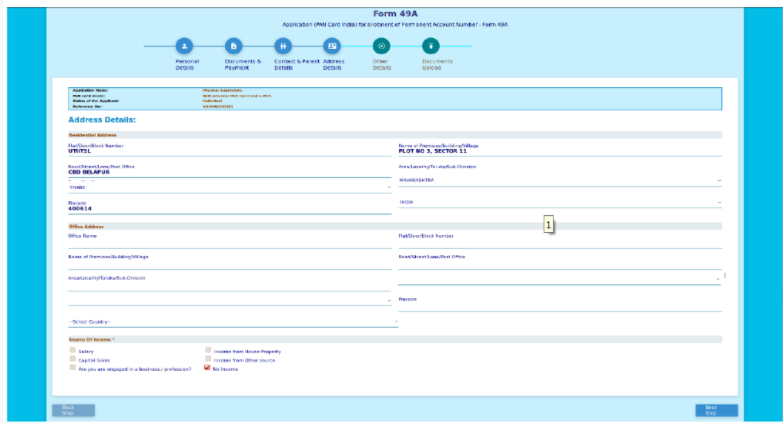
- Fill Address details
- Fill Contact & Parent details

-
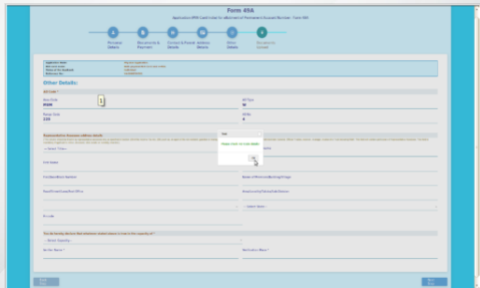
- Fill Other details

No Need To Upload Document Click on “Submit”